Tag: mobile

  • VGA on a Cellphone

    vod904sh.jpgFollowing on my previous post on Tivo on the cellphone, if you’re going to do it, you’ll want one of these phones. True VGA on a phone has four times the resolution of the best screens out there as well as some other goodies:

    It offers a range of advanced features such as a 3.2 megapixel camera; a Motion Control Sensor (for playing 3D games), and a Face Recognition function that authenticates handset owners by sensing their facial characteristics.

    Another interesting feature is the ability to indulge in instant messaging with those in close proximity to you using Bluetooth.

    Love the IM over Bluetooth!

  • Using Sprint’s Power Vision Network

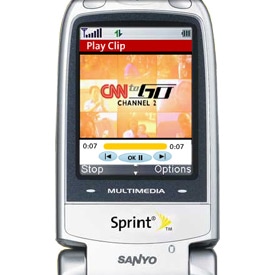
    A couple of months ago, Sprint graciously given me a Power Vision-enabled phone to use gratis as part of their Ambassador Program. I’ve been generally pleased with the service and showing streaming video on your cell phone makes for a neat demo when the conversation in the room turns to the mobile internet.

    Sprint Power Vision

    A few weeks ago, Sprint sent the Ambassadors (I wonder how many of use there are out there?) an email reminding them that they can use the USB cable that came with their phone to connect to a laptop and experience broadband speeds over wireless. I downloaded their software which essentially acts as a broadband modem for your laptop.

    Sprint announced today that they are significantly upgrading the capacity of this network. They’re calling this new rollout “EV-DO Revision A” which is an upgrade to the current “Revision O” network. You can ask Sprint how they do their alphabet.

    With Revision A technology, peak download data rates increase to 3.1 Mbps (from 2.0) and peak upload data rates increase to 1.8 Mbps (from 144 kbps). Average download speeds improve to 450-800 kbps (from 400 -700) and average uplink speeds become 300 – 400 kpbs (versus 70 – 144 kpbs). The faster data rates can enable richer applications and services such as high-speed video telephony, music on demand, video messaging, large file uploads and high performance push-to-talk capability.

    From the press release:

    Goody. I promptly connected via my Sprint phone and hit dslreports.com/tools to check out my speed as well as what others are reporting.

    It was not quite what they promised but hopefully the upgrade will take care of that. Although I really don’t have a need for wireless broadband (Yahoo’s on campus wifi is great and I’ve rigged up wifi at home), the install was dead-easy and I can think of a couple instances where broadband wifi would be a godsend:

    1. Field sales, consultants, or repair staff.
    2. Anyone attending a conference. Everyone at eTech complained about the wifi and one session would have been a wash had not Jason Calcacanis not volunteered his wireless broadband.
    3. Anyone with a long commute on a train.
    4. Anyone living within New Orleans needing to communicate to the rest of the world.
  • Checkmates – location-based Flickr friend finder

    I’m sharing a room with Chad Dickerson here at eTech and he was up until the wee hours last night and up again at the crack of dawn putting the finishing touches on a prototype called Checkmates. The application, which runs on your cellphone, uses a combination of APIs to show your location superimposed on a map along with the locations of your Flickr friends (as long as they also have the Checkmates running and have declared their location.

    For eTech, Chad posted this morning about the Checkmates and mentions a special overlay where you can declare your location on an eTech map.

    I’ve run into a snag b/c my Sprint cellphone won’t let me run my web browser while in Digital Roam mode (reception is not so hot inside the conference hall). I’ll try and install it later.

    Check it out!

  • Major challenge for WiFi phones

    I used to think that wifi phone will be a real threat to cellphone providers in urban areas as we see things such as urban wifi networks take off. For a fixed fee you could get a phone number from a company such as Vonage or Skype and make all the calls you want. Wifi also gives you added functions such as location-based services and all the features of browser-based internet access such as access to your RSS feeds, a podcast client, shared address books and calendars, etc. 

    Then it occured to me that the form factor of wifi phones have a major hurdle to overcome. If they’re ever going to be a threat, they’ll need to make it dead easy to connect to wifi networks. Wifi networks all feature WEP encryption or some other sort of access control. Because there is no standard and unless you have a T-Mobile account and are standing in a Starbucks, there is no real nationwide wifi network so you’ll need to enter a new key depending upon where your wifi access point is located.

    So the challenge is simply this. How do you enter a 128-bit encrypted WEP key on phone keypad without going crazy?

  • Just call me Ambassador

    phone.jpgphonedetail.jpg

    Back in December I got an email from Sprint asking if I’d like to try out a new phone and service that they are rolling out in North America. Half thinking it might be a way to get me to switch providers (I use Verizon), I read through the fine print looking for a catch. When I didn’t see any reason not to take them up on their offer for a free new phone and free service, I threw caution to the wind and signed up. The folks at Sprint/Nextel had read this blog and were interested in getting my input.

    As a qualified participant, we will send you one Sprint Power Vision phone and provide you with six months of all-access service (at no charge). You’ll have access to the Sprint Music Store(SM) live TV broadcasts, gaming and more. Yes, you will also have unlimited free calling and data service. It’s a pretty good deal and all we ask for in return is your candid feedback (you decide how much and how often).

    OK, I can’t be bought off that easily. I have been testing out the service for the past few months and will give you what I think of the service straight up. As you read my review, understand that I also am not a huge cell phone user. Sure, I use the things like anyone else and lived 10 years in Tokyo where the things are damn near an extention of your body. Yet here in the US I am bathed in wifi both at home and all over the Yahoo campus at work so see little need to bring up a small screen stream of the latest headlines except to impress colleagues or make a point about the future of mobility.

    Read on for the in-depth review:

    (more…)

  • Mike Torres and his gadgets

    While some of us talk about the upcoming convergence of television, PCs, and mobile, Mike Torres (Lead Program Manager for MSN Spaces) is living it. Right on Mike for blazing the trail!

  • QR Code shortcuts text entry

    This is  old news for those of you who have been to Japan. Anyone that’s used UPS or Fedex has seen these newfangled barcodes (QR code stands for "quick read") that allow them to be scanned from any direction. There is a lot of information that you can pack into these codes which can hold up to 3,000 alphanumeric characters on a single square. Squint your eyes and you can also see the Mona Lisa.

    The most interesting applications are coming from Japan where cellphone software for the phone camera (you cannot buy a cellphone without a camera these days) can read the QR code and use it to navigate right to a web page on your phone’s web browser without having to use the numberpad to painfully enter in a long web address.

    Magazines and newspapers also use this code to provide links to more information and advertisers put this mark onto their posters on commuter trains where a captive audience can click through for more details.

  • Fluid Market for Ringtones

    In the March 7th New Yorker, Sasha Frere-Jones writes about the cell phone ringtone industry which, in 2004, generated $4 billion dollars in worldwide sales (only $300 million from the US). In Korea, the ringtone market outsells the CD single market. There is a newer, higher quality version of the ringtone that is just gaining popularity. But there is more than just better quality that makes the mastertone interesting; there is commercial appeal,

    Record labels, convinced that they have lost millions of dollars in CD
    sales to MP3 file-swapping, have been especially attentive to
    ringtones, and they love master tones. Polyphonic ringtones are
    essentially cover versions of songs: aggregators must pay royalties to
    the publisher, who then pays the songwriter. But master tones are
    compressed versions of original recordings, which means that record
    labels—the entities that typically own recordings—are entitled to
    collect a fee, too.

    She goes on to explain the royalty deals signed to get these songs were extremely one-sided pushing up to 25% for some record companies. This boosts the overall cost of the mastertones which keeps people from adopting them. Kind of killing the hen before it can get around to laying it’s golden eggs.

    This arrangement is unlikely to last. There are now Web-based
    companies, like Xingtone, for example, that will convert songs from
    your collection into master tones. Or you can do it yourself: some new
    cell-phone models can be connected to a computer by a data cable,
    allowing you to create master tones from MP3 files at home. However it
    is done, transferring music that you own to your phone is legal under
    copyright law.

    Like a water balloon, exert too much pressure and the market moves around you.

  • GPS Photoblog

    So totally cool. My sister has hooked up a GPS unit to her cell phone and is moblogging with coordinates. She did this before, back in 2003, but that was in Japan, high-tech gadget heaven.