Tag: Google

  • Google’s Android Dream

    Google’s Android Dream

    Wired’s man on the ground at Google, Steven Levy, has an in-depth look at the turnaround story of the Motorola Mobility team purchased by Google for $12.5 billion two years ago and how they produced a phone which, on the eve on iPhone’s expected upgrade in September, is currently the talk of the Valley. As far as specs, it’s not running the latest and greatest but that’s just fine as the target audience is not the high end gadget freak, they are elevating the bar so that the masses can experience the fully integrated Google vision.

    But the defining feature of the Moto X is it’s a virtual ear, always straining to hear its owner’s voice say three magic words that will rouse it to action: “Okay, Google Now.”

    Here is a phone that is always waiting, ready to spring into action even faster than Apple’s Siri. Sure it’s always listening to you but in return you get a phone that can predict your needs with Google Now-enabled prescience. All that stuff that we technologists all dream of but ultimately fail at because of competing standards, incompatible platforms, and flaky APIs are now possible because Google owns not only stress-tested services in the cloud but also the end device.

    • an instant signal when you walk in a restaurant that starts a stream menus and reviews
    • warn you to end a meeting because it knows that traffic is so snarled, you might not make your next one in time
    • Only fools don’t protect their phones with a password, but it’s a pain in the neck to punch it in a few hundred times a day. Motorola plans to ease that pain (though not available at launch) by selling plastic tokens that can clip onto clothing—if the tab is within a few feet if the Moto X, no password necessary. (The tokens use NFC technology, built into the phones.) The Moto X will also let you set up password-free “safe zones” like your car.

    These are just a few examples quoted in Levy’s piece. A few more were discovered by my colleague who is testing out a demo unit,

    • the phone uses its GPS to determine when you might be behind the wheel of a car. Assuming that you are, this function can read aloud incoming text messages automatically. It can also send an auto-reply in this situation.
    • Meeting mode works off of your Calendar events. When the phone sees you’re in a meeting, it can automatically silence the handset. You can allow Meeting mode to ring the phone or auto-text replies to favorite contacts or if anyone calls twice in a five-minute period.
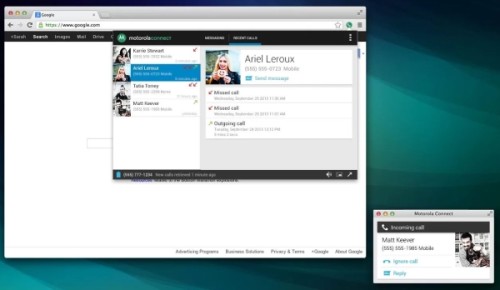
    • You link your phone and your Chrome browser through an extension so you can get caller or text information when on your computer. No need to pick up your phone for that data and you can also choose not to pick up the phone if you don’t want to take the call. You can also reply to text messages from your computer browser.
  • Google Japan – Design

    My good friends Astrid Klein and Mark Dytham were contracted to design the Google offices in Japan. Google asked them to integrate design motifs from the host country and, as is their style, they re-purposed everyday objects such as Japanese Sentō murals, giant car wash brushes, and soba stand noren to great, playful effect. More pics over at deseen.com, more about their design firm, Klein-Dytham architecture.

  • Feature List for an RSS Reader

    With the announcement of the sunsetting (never did like that word) of Google Reader, a discussion was kicked off at work over what features would make up an ideal RSS reader. Everyone at GigaOM is a voracious reader so we like to compare information processing tools and techniques like foodies discuss recipes.

    Here’s my short list:

    • Must be able to import an OPML file. The easiest way to get started is to load up your existing collection of feeds.
    • Must export OPML. Never trust a platform that doesn’t support data portability.
    • Must keep track of what you’ve read.
    • Must have a mobile version that syncs what you’ve read with on the desktop, mobile, or anywhere else
    • Must support pubsubhubub so news is pushed and realtime if the feed supports it.
    • Must be able to browse by feed or as an aggregated, reverse-chron sorted river of news
    • Must support browsing by headline, excerpt, or full-text
    • Must support rich media so the reader can be used to browse video, podcasts, and photo feeds. Bonus points if you can output a photo feed as a screensaver.

    Then there are the extra features are what would put one reader above others

    • Provide search across all feeds. This is your slice of the best of the internet after all.
    • Add the ability to star or otherwise mark items for simple re-tweet behavior. Let people publish a feed of these curated items so others can follow your information exhaust. Even better is to re-create the “share with note” feature in Google Reader and you’ve got a light-weight tumblr network.
    • Add the ability to follow other people and add their feed bundles to your collection. This was the single best feature of Google Reader and the one that, when taken away, killed off the future of the product.
    • Decay. Add a natural decay to feeds that do not get a lot of your attention. Provide a bookmarklet that lets you grab and add feeds as you find interesting posts across the internet but feel safe in the fact that if you let a feeds’ post go unread, that the feed itself will eventually drop off your main view, keeping things clean and focused.
    • In the day and age of Twitter & Facebook, have a pre-set filter that reads your social feeds and parses out all the links you add and puts them into a folder which you can search across or curate & share back out.

    Finally, there is the uber-geeky-cool feature that I built with the MyBlogLog team, the Interest Engine. The vision was that you would pipe all your feeds through the reader and the tags on all those feeds and shares would feed the algorithm to improve what bubbles up in your aggregated newsfeed. If you subscribe to a bunch of blogs about “fly fishing,” use that as a signal and focus posts from other, more generic feeds on your interests so that if a story about Fly Fishing flows across your New York Times feed, it gets higher placement.

    So that’s my list of MVP features & nice to have differentiators.  Did I miss any?

    UPDATE:

    Some choice words from Chris Wetherell, one of the original engineers on Google Reader, on the effervescent business opportunity of the GReader community.

    Dave Winer shares his thoughts on how he would build RSS anew. Centralized OPML profiles (as were offered by GReader) are key.

  • Driverless Vehicles – Two Kinds

    Google released an amazing video showing one of their driverless car taking a blind man out to get tacos and pick up his dry cleaning. This is good.

    In a tweet the other night, Twitter CEO Dick Costolo pointed to a swarm of programmable Nano Quadrotors and mused, “It’s with confidence and dread that I’m guessing the future of warfare is going to involve lots and lots of these” This is bad.

  • Google Wallet in the Wild

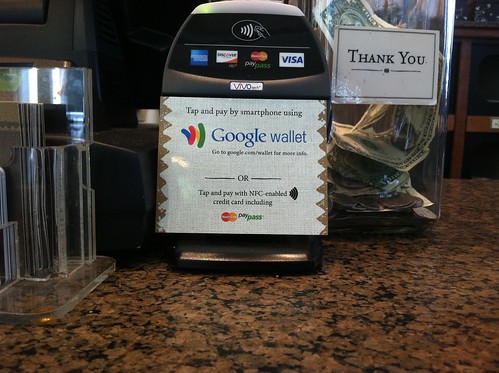
    OK, call me an idiot if I missed something but I just saw a headline speculating on rumors about a launch date for Google Wallet. Everyone’s searching around online for leaked memos for clues but meanwhile, in the real world, at the Peets in downtown SF, I already see a Google Wallet reader right there at the register.

    Google Wallet

    I snapped the photo above on Friday but saw it on Thursday as well. I asked the barrista and he said they were put in on Thursday but were still waiting for instructions.

  • Google Flight Search UI – Brilliant

    Google Flight Search UI – Brilliant

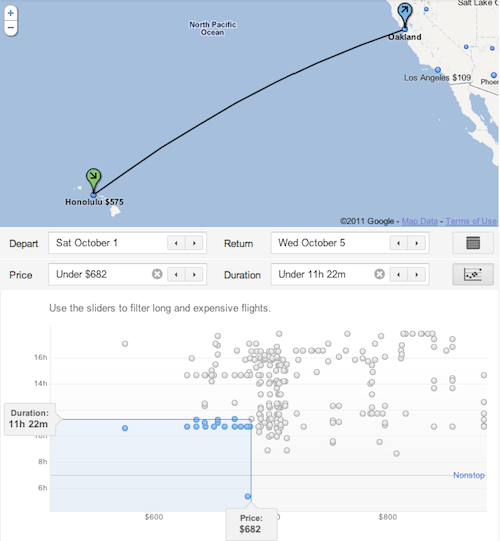
    Google’s Flight Search scatter plot visualization of fares is brilliant. Word is that fare data is still light (they don’t have any international, non-US fares) but the UI has put all other travel comparison sites on notice.

  • Cloud Computing through the Ages

    The Network is the Computer – Sun Microsystems – 1990s

    The Network is the Computer

    Nothing but Web – Google – 2011

    Two perspectives on an old idea, twenty years apart. For a humorous perspective on Silicon Valley spin, check out Larry Ellison’s schtick at the Churchill Club, “The Cloud is Water Vapor.”

  • Cloud Wars

    Marketing campaigns are gearing up for the major players offering cloud services as add-ons to their core products.

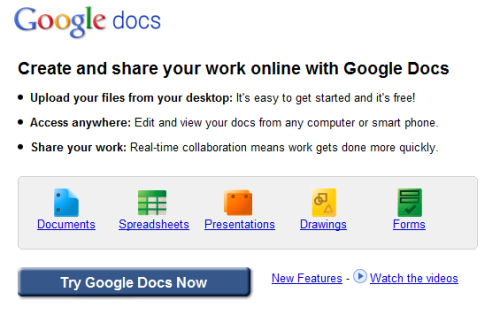
    Google Docs recently launched Google Cloud Connect,  a plug-in which lets  you add your Word, Excel, and PowerPoint documents to Google Docs and share with your colleagues. (Ars Technica reviews Cloud Connect and says it’s “not ready for primetime”)

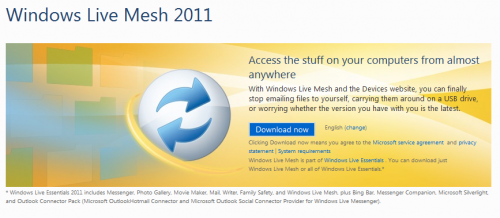
    Microsoft will be ending the beta of it’s Live Mesh service on March 31st and has announced Windows Live Mesh 2011 with the byline, “Access the stuff on your computers from almost anywhere.” It’s part of Windows Live Essentials bundle which you download and install and includes,

    Messenger, Photo Gallery, Movie Maker, Mail, Writer, Family Safety, Bing Bar, Messenger Companion, Microsoft Silverlight, and the Outlook Connector Pack (Microsoft Outlook Hotmail Connector and Microsoft Outlook Social Connector Provider for Windows Live Messenger)

    There is a custom install option in case you don’t want to take all of this in one go. You can learn more at explore.live.com

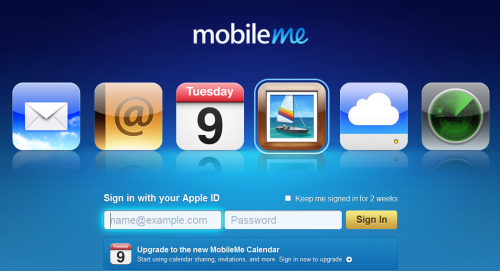
    Finally, Apple has just changed it’s tune. I took a screenshot of me.com yesterday and got the image you see above. It’s all about the services. Mail, Address Book, Calendar, Photos, Cloud Storage, and the Find my iPhone app. I just went back today and the site has been refreshed and the message is totally different.

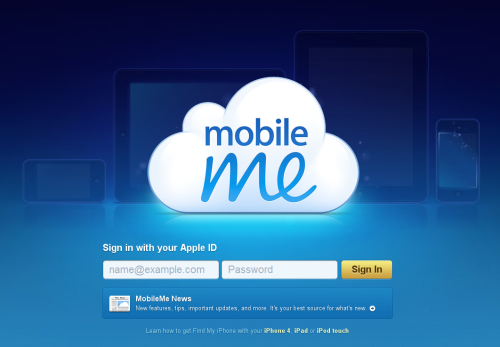
    Today, when you visit me.com it’s all about the hardware. The cloud is front and center and behind are the familiar outlines of the Apple brand of glass tablets and phones. If you wave your mouse over the cloud, you’re greeted with a pixie-dust effect adding some magic to an otherwise plain ol’ login page.

    Could this be positioning for the launch of the rumored Media Stream service or is this just a routine update now that we’ve rolled over from February to March?

  • David Segal on Search

    David Segal, the same New York Times journalist who filed the fascinating 5,500+ word piece in November about decormyeyes.com is back again. The Dirty Little Secrets of Search with a great piece looking into an unwitting, client (and now victim) of black hat SEO, JC Penney. His piece goes into quite a bit of detail (for a mainstream newspaper anyway) on the underground mechanics of the link sharing economy but what I like best is the following description.

    When you read the enormous list of sites with Penney links, the landscape of the Internet acquires a whole new topography. It starts to seem like a city with a few familiar, well-kept buildings, surrounded by millions of hovels kept upright for no purpose other than the ads that are painted on their walls.

    Exploiting those hovels for links is a Google no-no. The company’s guidelines warn against using tricks to improve search engine rankings, including what it refers to as “link schemes.” The penalty for getting caught is a pair of virtual concrete shoes: the company sinks in Google’s results.

    Sounds like a rough neighborhood.